Cloud SQL high availability: is paying 2x worth it?
Cloud SQL high availability bills vCPU, memory and storage at twice the zonal rate. The real numbers, what HA survives, and when it is worth paying for.
Key takeaways
- A high availability (regional) Cloud SQL instance runs a primary and a standby in two zones of one region and fails over automatically, with about a minute of downtime.
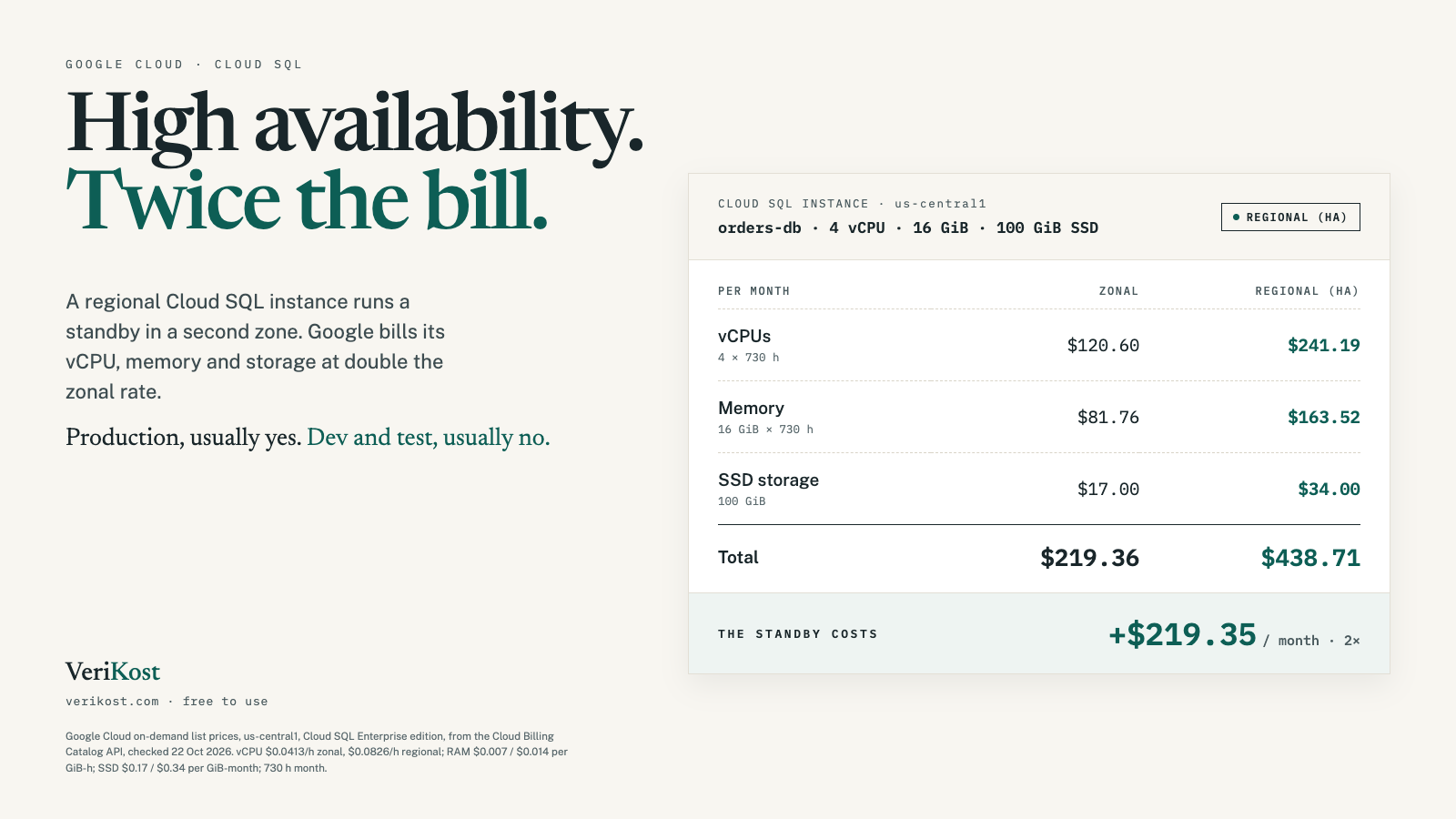
- Google bills it at twice the zonal rate for vCPU, memory and storage: a 4 vCPU, 16 GiB instance with 100 GiB of SSD goes from $219.36 to $438.71 a month in us-central1.
- HA covers a zone or instance failure, not a whole region going down. For that you need a cross-region replica.
- Changing the availability type restarts the instance, so do it in a maintenance window, and keep the doubled price for the databases customers depend on.
On this page
On 20 October, Google’s status page reported that a power event caused an outage in one zone of its London region, europe-west2-b, with Cloud SQL among the affected products. Zone outages like that are exactly what Cloud SQL’s high availability option is for. It also doubles the price of the instance. Here is what you get for the money, at list prices, and how to decide.
01What is Cloud SQL high availability?
A Cloud SQL instance is either zonal (the default: one instance in one zone) or regional, which is Google’s name for high availability. A regional instance is a primary and a standby in two different zones of the same region. Writes are replicated synchronously to the disks in both zones before a transaction is reported as committed.
Cloud SQL checks the primary’s heartbeat every second. If several heartbeats are missed, it fails over: the standby becomes the primary and serves from the second zone, behind the same IP address. Google says to expect about sixty seconds of unavailability, and existing connections are closed, so your application needs to reconnect.
02What does high availability cost?
Google’s own words: an HA instance “costs twice as much as a standalone instance. This price includes CPU, RAM, and storage.” The billing catalog shows it as separate Regional SKUs at double the Zonal ones. Here is an Enterprise edition instance with 4 vCPUs, 16 GiB of memory and 100 GiB of SSD storage in us-central1:
| Line item | Zonal | Regional (HA) |
|---|---|---|
| 4 vCPUs | $0.0413/h → $120.60 | $0.0826/h → $241.19 |
| 16 GiB memory | $0.007/GiB-h → $81.76 | $0.014/GiB-h → $163.52 |
| 100 GiB SSD storage | $0.17/GiB → $17.00 | $0.34/GiB → $34.00 |
| Total per month | $219.36 | $438.71 |
That is $219.35 a month more, about $2,632 a year, for one database. A smaller 2 vCPU, 8 GiB instance with 20 GiB of SSD goes from $104.58 to $209.16. In London (europe-west2) the rates are higher, $0.0496 per vCPU-hour zonal and $0.0991 regional, so the 4 vCPU example costs $263.34 zonal and $526.40 regional.
Two things are not doubled. Backups bill at one rate, $0.08 per GiB-month in us-central1, whichever type you run, and an idle IPv4 address is $0.01 an hour either way. Google does require automated backups and point-in-time recovery on an HA instance, so budget for those if you had them off.
03What happens to each kind of instance in a zone outage?
Regional: if the primary’s zone goes down, Cloud SQL fails over to the standby on its own, provided the standby and its zone are healthy. You lose about a minute and your open connections. When the failed zone recovers, Google rebuilds the old primary as the new standby.
Zonal: Google’s docs say plainly that Cloud SQL doesn’t recover a standalone instance from a zonal outage automatically. You either wait for the zone to come back, or recover by hand: point-in-time recovery to a new instance (only if you turned it on beforehand, and you may lose the last few minutes of transactions), or promoting a read replica in another zone. Either way the new instance has a new IP address and connection name, so every client has to be repointed.
04When is Cloud SQL HA worth paying for?
There is no rule from Google here, only trade-offs. These are our rules of thumb:
- Pay for it: production databases your customers depend on, where an hour offline costs more than the extra month of instance charges. Payments, logins, orders.
- Skip it: development, test and staging databases, and analytics or reporting copies you could rebuild. If nobody is paged when it’s down, zonal is enough.
- Look at the gap: a zonal production database with point-in-time recovery on and a tested restore runbook is a reasonable middle ground for internal tools, if a slower manual recovery is acceptable.
HA is not a substitute for backups. It copies every write to the standby, including a bad migration or an accidental DELETE.
05How do you check and change it?
In the console, an HA instance shows Highly available (regional) in the Configuration section of its Overview page. With the gcloud CLI:
# One instance: prints REGIONAL or ZONAL
gcloud sql instances describe my-instance \
  --format="value(settings.availabilityType)"

# Every instance in the project
gcloud sql instances list \
  --format="table(name,region,settings.tier,settings.availabilityType)"

# Turn HA on, or off
gcloud sql instances patch my-instance --availability-type=REGIONAL
gcloud sql instances patch my-instance --availability-type=ZONAL
Either change restarts the instance. Google says it usually takes a few minutes, but with a large disk or heavy load it can take up to an hour, and once you start enabling HA you can’t stop it. Schedule it like a maintenance window.
06What bill can you cut instead?
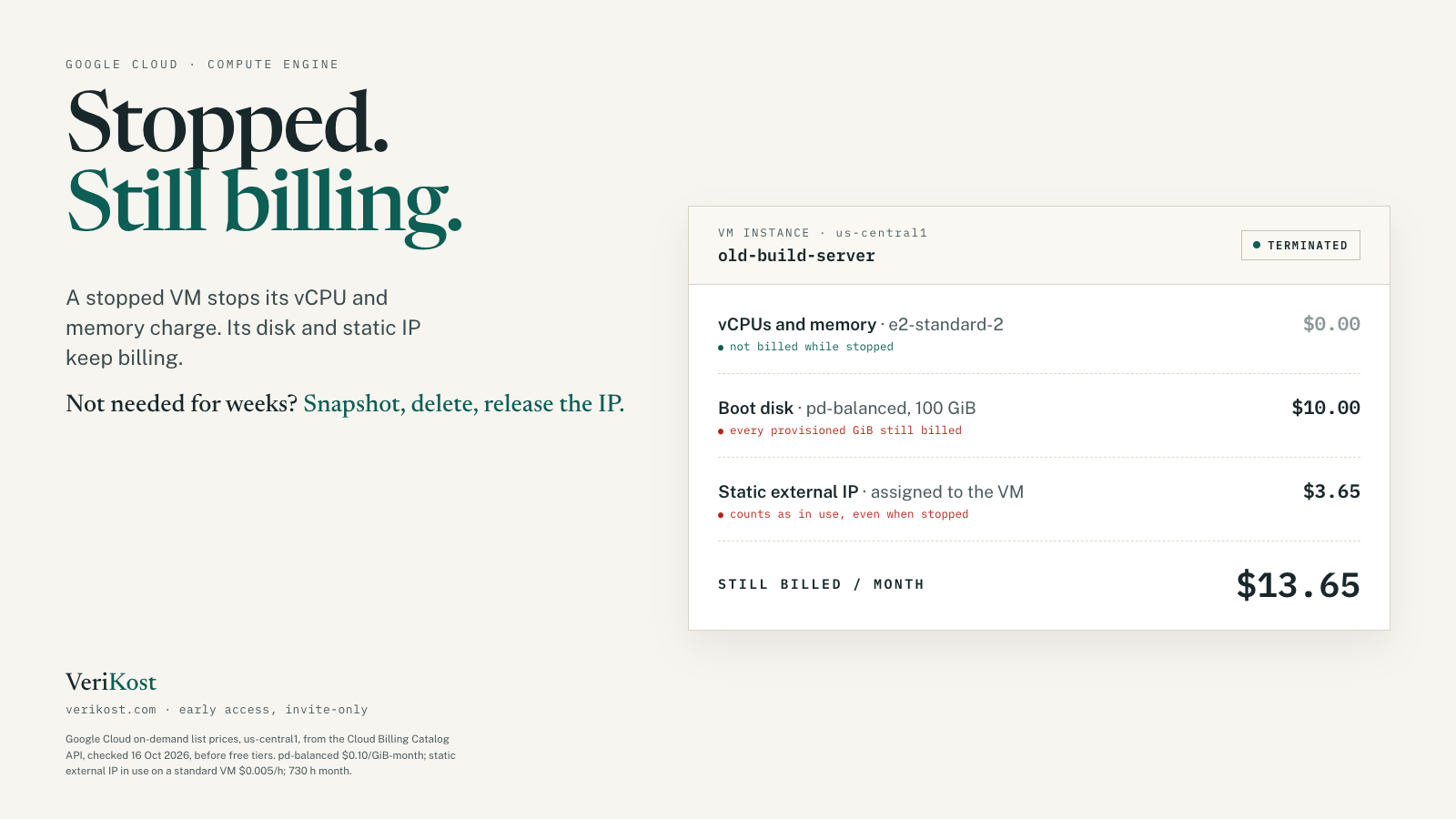
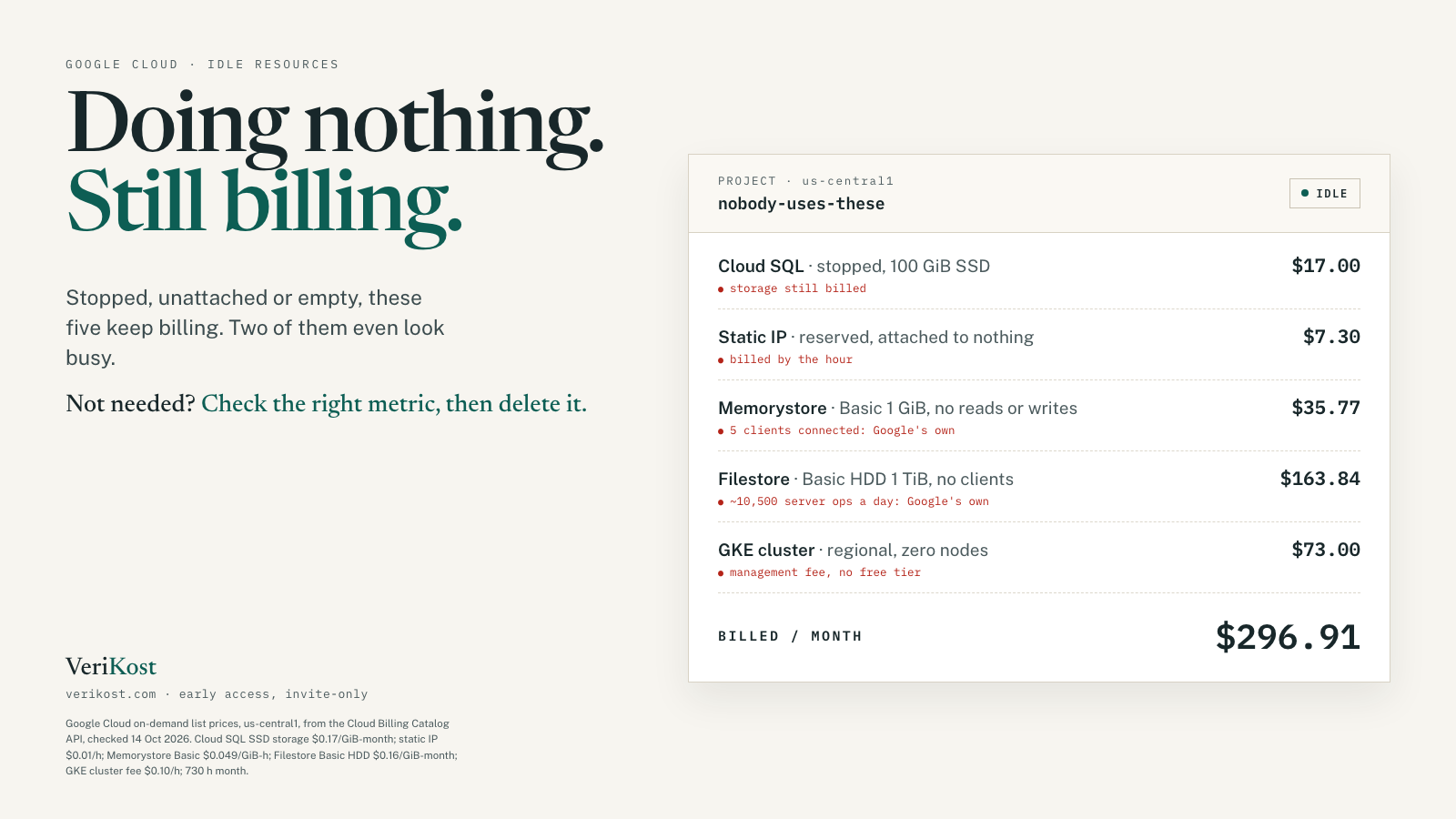
If HA on production feels expensive, the cheaper win is usually elsewhere: databases nobody uses. A stopped Cloud SQL instance stops the instance charge, but Google keeps billing its storage and IP address, and a regional instance’s storage still bills at the doubled rate. The same thing happens with stopped VMs, covered in what a stopped Google Cloud VM still costs, and with the other resources in five Google Cloud resources that bill you while doing nothing.
Frequently asked questions
Does Cloud SQL high availability really cost double?
For the instance itself, yes. Google’s HA page says an HA instance costs twice as much as a standalone one, covering CPU, RAM and storage. Backups and the idle IP address rate are billed the same either way.
Does HA protect against a region outage?
No. Both zones are in the same region, so if the region becomes unavailable, so does the database. Google’s disaster recovery guidance for that case is a cross-region read replica you can promote.
How long does a Cloud SQL failover take?
Google says to expect the instance to be unavailable for about sixty seconds. Existing connections are closed, and clients reconnect to the same IP address or connection string.
Does turning HA on or off cause downtime?
Yes. Google says reconfiguring the instance restarts it. That usually takes a few minutes, but with a large disk or heavy load it can take up to an hour.
Sources
- Cloud Billing Catalog API, Cloud SQL, us-central1 and europe-west2: PostgreSQL Zonal and Regional vCPU, RAM and Standard storage; Backups; IP address reservation
- Google Cloud pricing page: Cloud SQL (Enterprise edition, storage and HA storage, network)
- Google Cloud docs: About high availability, Enable and disable high availability, About disaster recovery (DR) in Cloud SQL, Start, stop, and restart instances; gcloud sql instances patch reference
- Google Cloud Service Health: incident Xs2XTHzAVC9YnafnPyzj, europe-west2, 20 Oct 2026